
 14%
14%
What’s eating your Mac?
See it. Take control.
Models you downloaded. Caches you forgot. Servers still running.
See what’s taking space and memory, right from your menu bar.
Choose what to clean or stop. You stay in control.
Built for vibe coders, AI tinkerers, and anyone with too much still running.
▶ Watch WTMemory in 40 seconds
• Free inspection + 7-day Pro trial · no signup
• File cleanup moves to Trash · confirmation first
• Apple-notarized · scans stay local · no app telemetry
• $9 once · Pro for up to 3 Macs
NEW
2.3.1 - Clear Junk, reviewed · what’s new
See the actual app
Big control.
Tiny Mac app.
Forty seconds inside WTMemory. Find what piled up, check what’s running, and see where you stay in control.
Illustrated menu-bar opening, followed by the native interface with example data. No personal files, real cleanup or promised savings.
Read the 40-second tour
- Click the menu-bar icon. Clear Inactive Memory is highlighted in the illustrative opening; the video runs no actions.
- Read cache descriptions, choose a folder and review it before moving it to Trash.
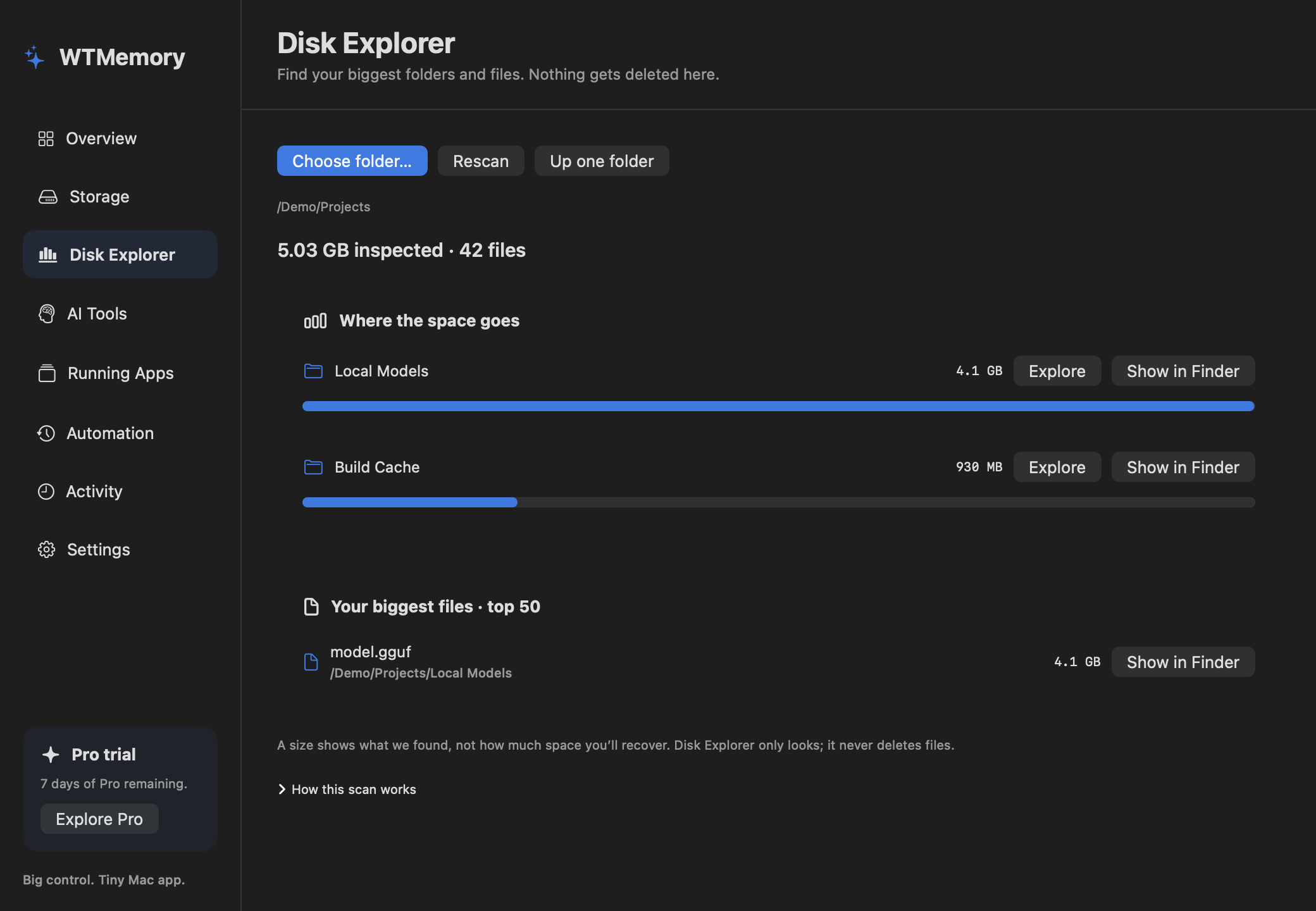
- Find your largest folders and files. Open anything in Finder.
- See model downloads and AI tools still running.
- Find the process using a port. Keep your current app open while reviewing other quit requests.
- Review your apps and choose what stays open. WTMemory never forces an unresponsive app to close.
Made for your menu bar
One click from
“what’s still running?”
Review caches. Find the server using a port. Keep the app you’re using open while you review the rest. Quick actions live in the menu bar; the workspace opens when you want the full picture.
INTERACTIVE PREVIEWA little icon.
Illustration with example data. These clicks don’t scan, clean or stop anything on your Mac.
A little icon.
Your whole toolkit.
Illustration with example data. These clicks don’t scan, clean or stop anything on your Mac.WTMemoryPROMeasured from the universal 2.3.1 release. Download and installed sizes differ; these are not RAM-usage figures.
Less guessing. More control.
Find what piled up.
See what’s still running.
Storage and memory are different problems. WTMemory helps you inspect both, then choose the action that makes sense.
Make room for your next project.
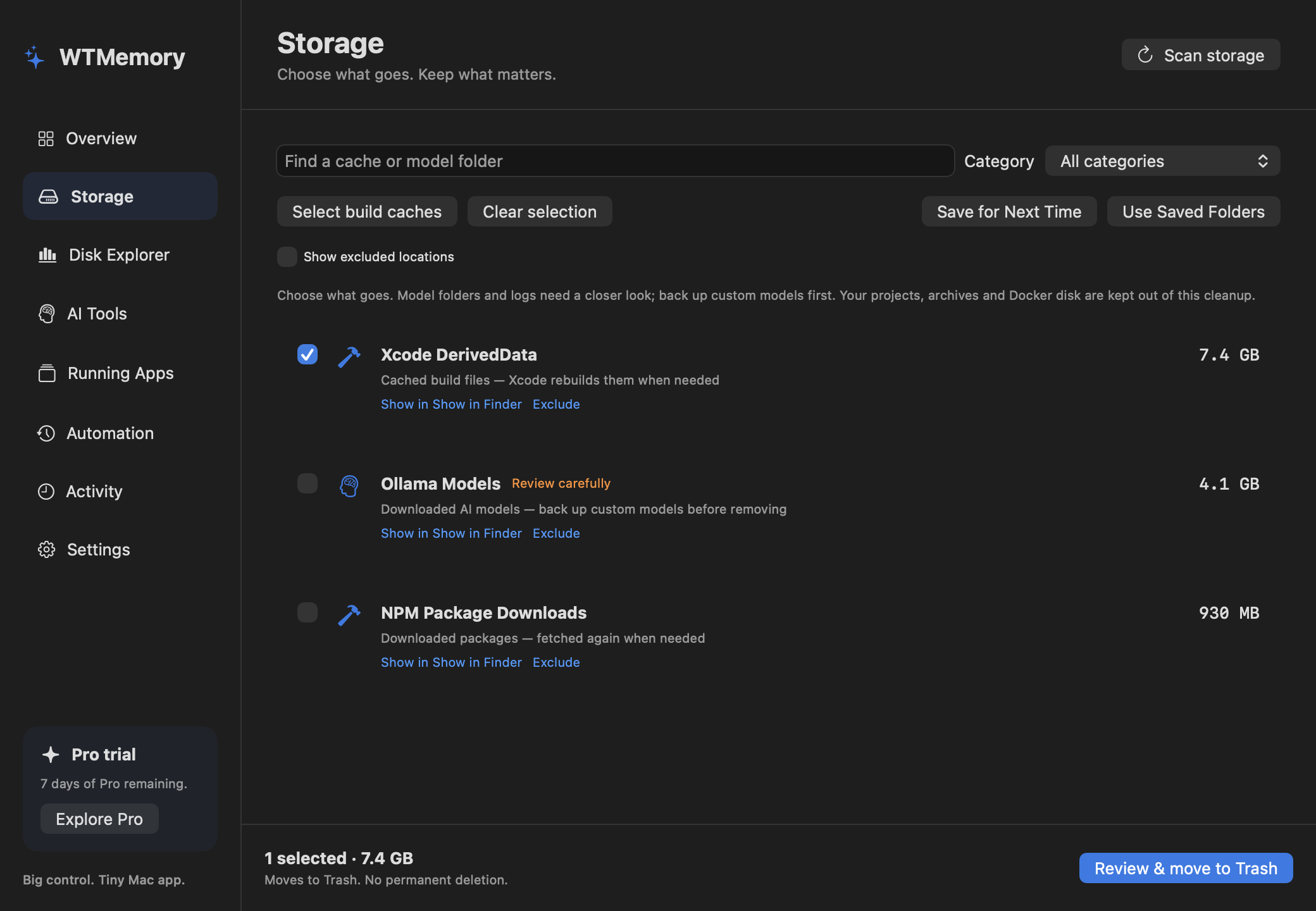
Review downloaded models and build caches by size. Read what each location contains before deciding what goes.
Explore storage cleanup →Find the apps using your memory.
See which apps are using memory and CPU. Protect the apps you need, then confirm which others to quit.
See how app protection works →Port 3000 busy. Again?
Find which server is using the port. Check its name and location, then confirm before stopping it.
Take control of dev servers →Find the big files hiding in plain sight.
Choose a folder. Compare its biggest entries and find its largest files. Drill down or reveal them in Finder, free.
Explore your folders →Inside WTMemory
See it before you act.
A workspace when you want detail. A menu-bar shortcut when you already know what to do.
See the free Disk Explorer
Inspect for free.
See model folders, build caches, running apps and open ports. No signup.
Choose what matters.
Reveal files in Finder. Exclude locations. Protect apps you want to keep running.
Review, then act.
Pro lets you move selected files to Trash or confirm app and server stops. Nothing is cleaned automatically.
Built for today’s Mac workload
Your tools leave more than open tabs.
Local AI downloads and development caches can stay long after a project ends. Bring supported locations into one review.
Local AI models
Ollama, Hugging Face, LM Studio and ComfyUI model locations. See their size; choose the locations to remove.
Custom checkpoints and imported models may be irreplaceable. Back them up before cleanup.
Explore AI model storage →Build & package caches
Xcode, npm, pnpm, Yarn, Bun, Cargo and Gradle. Review cache locations without hunting through hidden folders.
Supported cache cleanup leaves source code alone. Future builds or installs may need to download or rebuild files.
Your Mac, at a glance.
See memory, CPU, free disk space, battery and network activity together. Enough context to understand what your Mac is doing.
See the complete toolkit →Make the next review easier.
Save folders for next time. Skip locations you want to keep. Schedule daily scans and reminders. Check your local activity history.
Reminders find work for you to review. They never delete files or close apps.For the Mac you build on
Your next project needs room.
Your cleanup tool barely does.
A tiny native app. AI models and dev caches in one place. App protection, saved cleanup and reminders you control. Free to inspect. $9 once for three Macs.
WTMemory vs CleanMyMac — compare the tools →Pricing
Start free. Take control for $9 once.
No subscriptions. No account registration. Works on up to 3 of your Macs.
Try Pro for 7 days. Inspection stays free afterward. Local price and tax appear at checkout.
| What you can do | Free | Pro · $9 once |
|---|---|---|
| Explore folder sizes & find large files | Included | Included |
| Inspect model folders, caches, apps & open ports | Included | Included |
| Read memory, CPU, battery & network activity | Included | Included |
| Move selected caches & model locations to Trash | During trial | Included |
| Confirm app quits & dev process stops | During trial | Included |
| Save cleanup selections & schedule scan reminders | During trial | Included |
| License for up to 3 Macs · 2.x updates | — | Included |
WTMemory Pro
Lifetime License for 3 Macs
$9
one-time
- ✓ Resource inspection stays free
- ✓ Reviewed batch cleanup to Trash
- ✓ Find listening dev servers & confirm which processes to stop
- ✓ Ollama, Hugging Face, LM Studio & ComfyUI model locations
- ✓ Xcode, npm, pnpm, Yarn, Bun, Cargo & Gradle cache review
- ✓ Saved selections, exclusions & local action history
- ✓ Daily scans with review reminders
- ✓ Seven-day Pro trial · no signup
- ✓ Up to 3 Macs · lifetime license · 2.x updates included
🌍 LOCAL PRICE AT CHECKOUT
No recurring bill
The base price is $9 USD once. Dodo checkout shows your applicable localized price, currency and tax before payment.
Unlock WTMemory Pro - $9
🔑 Instant license key + email backup · 14-day refund, no questions asked
One-time payment · 2.x updates included · works on 3 Macs
🔒 Handled securely by Dodo Payments (Merchant of Record). Apple Pay & cards accepted.
A few things worth knowing.
Is inspection actually free?
Yes. Resource inspection and supported storage scans stay free after the Pro trial. No app account or signup. Pro adds reviewed cleanup, folders saved for next time, app actions and daily scan reminders.
I already tried it. Why come back?
2.2 adds free Disk Explorer, an AI Tools workspace, live Mac readings and current LM Studio model support. Some returning users can choose another seven-day Pro preview; the app shows this option when available. Existing Pro licenses carry forward.
Does cache cleanup remove my models?
No. The menu shortcut reviews supported build caches and asks before moving them to Trash. Models need individual selection. Emptying Trash in Finder is a separate permanent action.
Will it ask for my admin password?
Ordinary scans and user-owned cache cleanup don’t request administrator privileges. The optional advanced memory reset explains its administrator prompt before running. Updating an app owned by another user may also need permission.
Does lots of used RAM mean trouble?
Not necessarily. macOS puts available RAM to work. WTMemory separates usage from macOS pressure events and shows running apps so you can make an informed choice. No magic speedup promises.
What about port 3000?
Find What’s Using a Port shows the app or server behind a listening port. You choose what to stop and confirm first. The whole process exits, not just its port. Protected processes are left alone.
How do I update my existing copy?
Use Check for Updates in your menu; on older builds it is inside More. If that updater fails, quit WTMemory and replace it in Applications with the new download. Your saved license and preferences stay in place.
What does Pro cost?
$9 USD base price, one-time, up to three Macs. Localized price and applicable tax appear at checkout. The existing lifetime license includes all 2.x updates.
Does my data leave the Mac?
Scans, process details and action history stay local. Licensing requests go to Dodo Payments, and Sparkle checks our update feed. The app has no resource-data telemetry.
